Affiliate disclosure: This review contains affiliate links. If you purchase Kinsta through one of these links, I may earn a commission at no additional cost to you. This does not influence the strengths, limitations or recommendations below.
Quick verdict: Kinsta is a strong premium choice for businesses, publishers, ecommerce stores and agencies that value managed security, expert support and a clean WordPress workflow. It is harder to justify for hobby sites, very small blogs or anyone who mainly needs the lowest possible monthly price.
Kinsta is not trying to compete with entry-level shared hosting. Its value comes from removing much of the server management, caching, security and migration work that normally sits between a business and a reliable WordPress site. The trade-off is a higher starting price and usage limits that need to be understood before signing up.
Kinsta review summary
| Category | Assessment |
|---|---|
| Best for | Business-critical WordPress sites, agencies, publishers and established stores |
| Starting price | $35 per month, or $30 per month equivalent when billed annually |
| Entry plan | One WordPress install, 10GB storage, with a visits-based or bandwidth-based option |
| Standout strengths | Managed infrastructure, Cloudflare integration, migrations, staging, backups and expert support |
| Main drawbacks | Premium pricing, storage and usage limits, no bundled mailbox hosting or domain registration |
| Overall view | Worth considering when reliability and saved management time matter more than the cheapest invoice |
Pricing and features checked on 22 July 2026. Kinsta can change its plans, limits and promotions, so confirm the final details on its pricing page before purchasing.
What Kinsta is
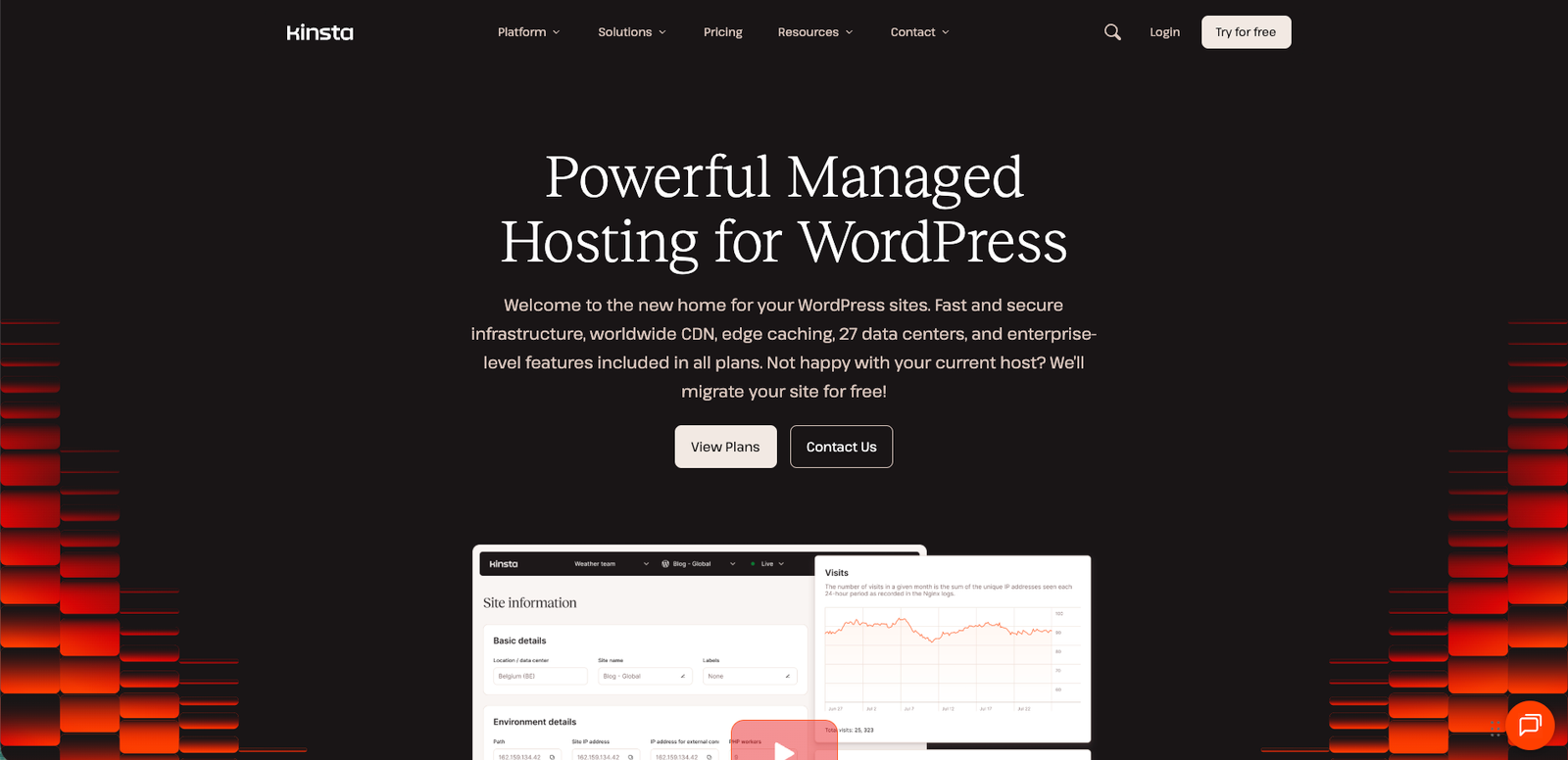
Kinsta is a managed WordPress hosting platform designed around isolated site containers rather than a traditional cPanel shared-hosting account. Each WordPress site runs in its own software container with the components it needs, including Linux, NGINX, PHP and MySQL. Kinsta’s current infrastructure documentation lists 29 global data-centre locations.
Standard live-site containers currently have access to 12 CPUs and 8GB of RAM by default, although that does not mean every site owns an entire physical server. The practical benefit is stronger isolation and more predictable resource management than a typical low-cost shared environment.
Kinsta also routes traffic through its Cloudflare integration and includes a managed web application firewall, DDoS protection, CDN delivery and edge caching. You can review the technical details in Kinsta’s infrastructure documentation.
Who should choose Kinsta?
- Businesses that depend on their website: Downtime, security incidents and slow support can cost more than the difference between budget and managed hosting.
- WordPress agencies: MyKinsta centralises sites, users, environments, migrations and analytics without relying on cPanel.
- Ecommerce and membership sites: Higher plans and additional performance resources can suit dynamic sites where aggressive full-page caching is not enough.
- Publishers and marketing teams: Staging, backups, user access and support reduce friction when several people work on the same website.
- Site owners leaving unreliable hosting: Unlimited standard WordPress migrations make the move less intimidating.
Who should skip Kinsta?
- New hobby sites: A low-traffic personal blog rarely needs this level of managed infrastructure.
- Price-first buyers: Good shared hosting can cost substantially less, even if it requires more hands-on management.
- Customers wanting one bundled provider: Kinsta is not a domain registrar and it does not provide normal hosted email mailboxes.
- Storage-heavy websites: The entry plans include relatively modest SSD storage. Large media libraries may require optimisation, external storage or an add-on.
MyKinsta dashboard and day-to-day management
MyKinsta is one of the clearest reasons to consider the platform. Instead of exposing a general-purpose hosting control panel, it focuses on WordPress tasks: creating sites, managing domains, checking analytics, opening staging environments, clearing caches, viewing logs, handling backups and controlling user access.
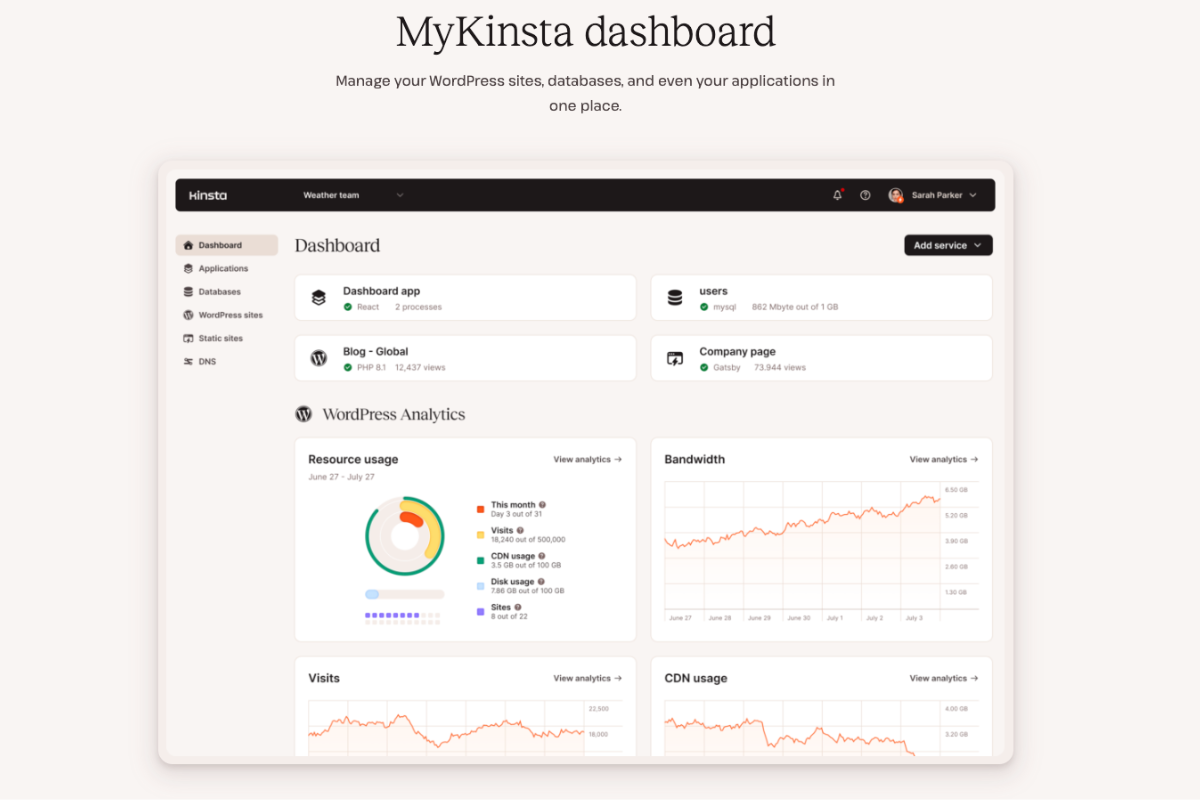
This narrower interface is valuable for clients and teams that do not want to learn server administration. Developers still get useful tools, including SSH access, WP-CLI, application performance monitoring, environment management and an API.
Performance and caching
Kinsta includes server-level full-page caching, a Cloudflare-powered CDN and edge caching. Edge caching can serve cached HTML closer to visitors without requiring another WordPress caching plugin. The platform also includes image optimisation through its CDN and tools for clearing server, CDN and edge caches.
That is a strong default stack, but no host can repair an overloaded theme, poor third-party scripts, oversized images or an inefficient plugin on its own. Real performance still depends on the site build, database behaviour, cacheability and visitor location.
Kinsta currently advertises an uptime service-level agreement of up to 99.99%, depending on the service and plan. Read the applicable SLA rather than treating a marketing percentage as a guarantee that no outage can occur.
Security, backups and recovery
All plans include free SSL certificates with wildcard support, a managed firewall, DDoS protection, bot protection and malware removal assistance. Kinsta also continuously optimises MySQL databases and provides isolated environments for each site.
Automatic backups are created every 24 hours. Retention varies by plan, with 14 days on the entry business plans and longer retention on some higher tiers. More frequent six-hour or hourly backups are paid add-ons, so stores with frequent orders should include that cost when comparing hosts.
Security remains a shared responsibility. Strong passwords, limited administrator access, maintained plugins, secure custom code and tested recovery procedures still matter.
Migrations, staging and support
Kinsta includes unlimited standard WordPress migrations and free one-click staging environments. These features are particularly useful for businesses moving from another host and for teams that want to test updates before deploying them.
Support is available through chat around the clock and is focused on the hosting platform and WordPress environment. That is more specialised than the first-line support commonly found at budget hosts. It does not replace a developer for theme bugs, plugin conflicts or custom application work, but it can shorten the path to diagnosing infrastructure problems.
Kinsta pricing in 2026
Kinsta currently offers single-site, multi-site, agency and enterprise plans. Customers can choose between visits-based and server-bandwidth-based versions of several plans.
| Example plan | Monthly billing | Annual equivalent | Selected limits |
|---|---|---|---|
| Single 20GB bandwidth / Single 35k visits | $35 per month | $30 per month equivalent | 1 site, 10GB storage, 125GB CDN |
| Single 40GB bandwidth / Single 65k visits | $50 per month | $42 per month equivalent | 1 site, 10GB storage, 250GB CDN |
| WP 2 | $70 per month | $59 per month equivalent | 2 sites, 20GB storage, 250GB CDN |
| WP 5 | $115 per month | $96 per month equivalent | 5 sites, 30GB storage, 500GB CDN |
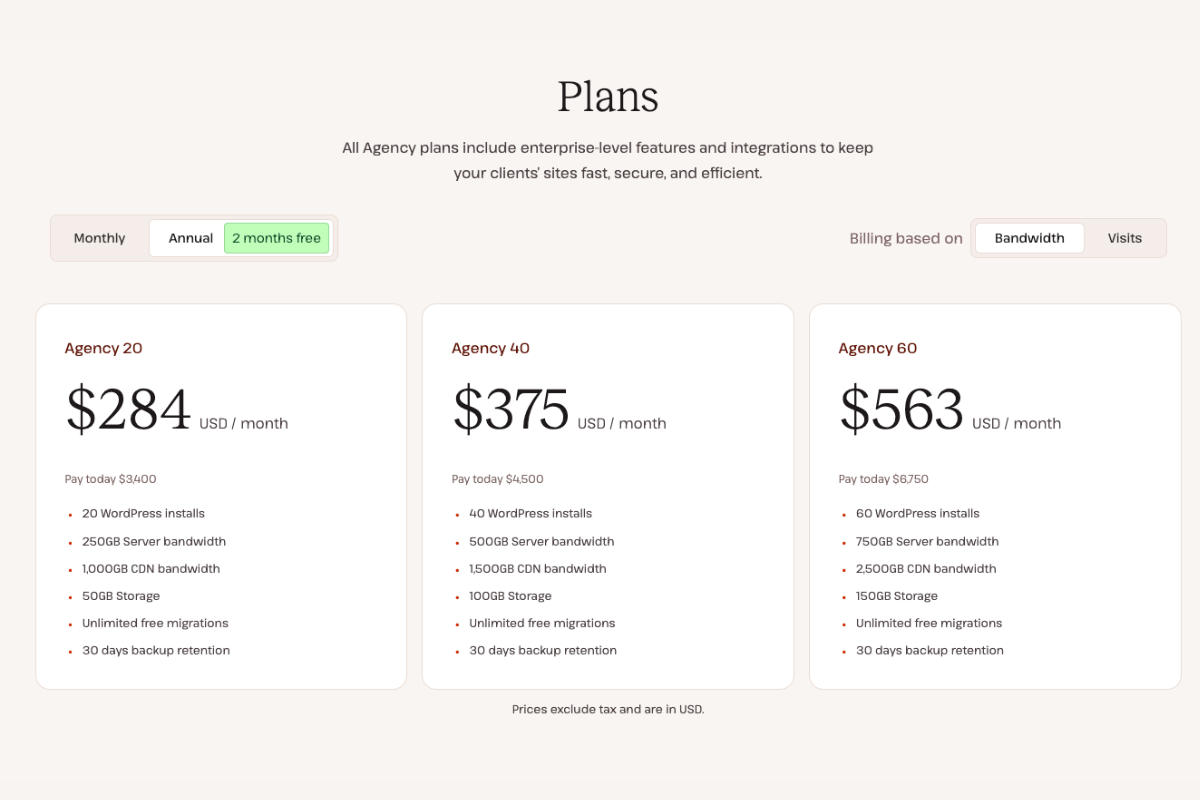
At the time of this update, Kinsta offers the first month free on the entry Single and WP 2 plans. Annual billing provides two months free compared with paying month to month. Taxes are excluded from the displayed US dollar prices.
Usage limits and possible extra costs
The headline price is not the only number to consider. Plans include limits for visits or server bandwidth, SSD storage and CDN transfer. Current published overage rates include $0.50 per 1,000 visits, $0.50 per GB of server bandwidth and $0.05 per GB of CDN usage. Disk-space overages are charged separately, and additional storage is sold in 20GB increments.
This structure is transparent once you understand it, but it rewards active monitoring. Check two or more representative months of traffic, origin bandwidth, CDN transfer and storage before selecting a plan. A sudden campaign, bot traffic or large uncached downloads can change the calculation.
Kinsta for WooCommerce
Kinsta can be a good fit for established WooCommerce stores because the platform combines managed security, staging, monitoring and scalable plan options. The important question is not simply whether Kinsta hosts WooCommerce. It is whether the selected plan has enough PHP capacity, storage, backup frequency and traffic allowance for the store’s actual workload.
A small store with few orders may not need premium hosting yet. A revenue-producing store where slow administration, checkout problems or downtime have a measurable cost has a much stronger business case.
Pros and cons
Advantages
- Clean WordPress-focused dashboard
- Isolated site containers
- Cloudflare CDN, edge caching, WAF and DDoS protection
- Unlimited standard WordPress migrations
- Staging, backups, analytics and APM included
- 24/7 specialised support
Limitations
- Higher starting price than shared hosting
- Visits, bandwidth, storage and CDN allowances require monitoring
- No normal mailbox hosting included
- No domain registration
- Premium backup frequency and some performance features cost extra
- Overkill for many small personal sites
Kinsta alternatives
Choose Hostinger when budget matters most and you are comfortable with a broader, more entry-level hosting platform. Choose Cloudways when you want greater cloud-server flexibility and accept a more technical management model. Choose Kinsta when a managed WordPress workflow, focused support and predictable operational tooling are the priority.
The right choice depends on the value of your website and the work you are willing to manage yourself. Comparing only the introductory price misses the cost of migrations, troubleshooting, security work and developer time.
Final verdict: Is Kinsta worth it?
Kinsta is worth considering when your WordPress website supports revenue, customer acquisition, publishing or client work. The platform bundles a capable infrastructure stack with migrations, staging, caching, security, backups and specialised support in a dashboard that non-server specialists can understand.
It is not automatically the best value for every website. A small brochure site or personal blog can run well on a cheaper provider. The premium makes more sense when downtime and maintenance consume valuable time, or when several people need a dependable workflow.
My recommendation: shortlist Kinsta for business-critical WordPress sites, agencies and established ecommerce operations. Start elsewhere if the site is experimental, has almost no traffic or must minimise every monthly cost.
If you need help comparing plans or moving a WordPress site, contact Tinashe Makiwa for a hosting and migration assessment.